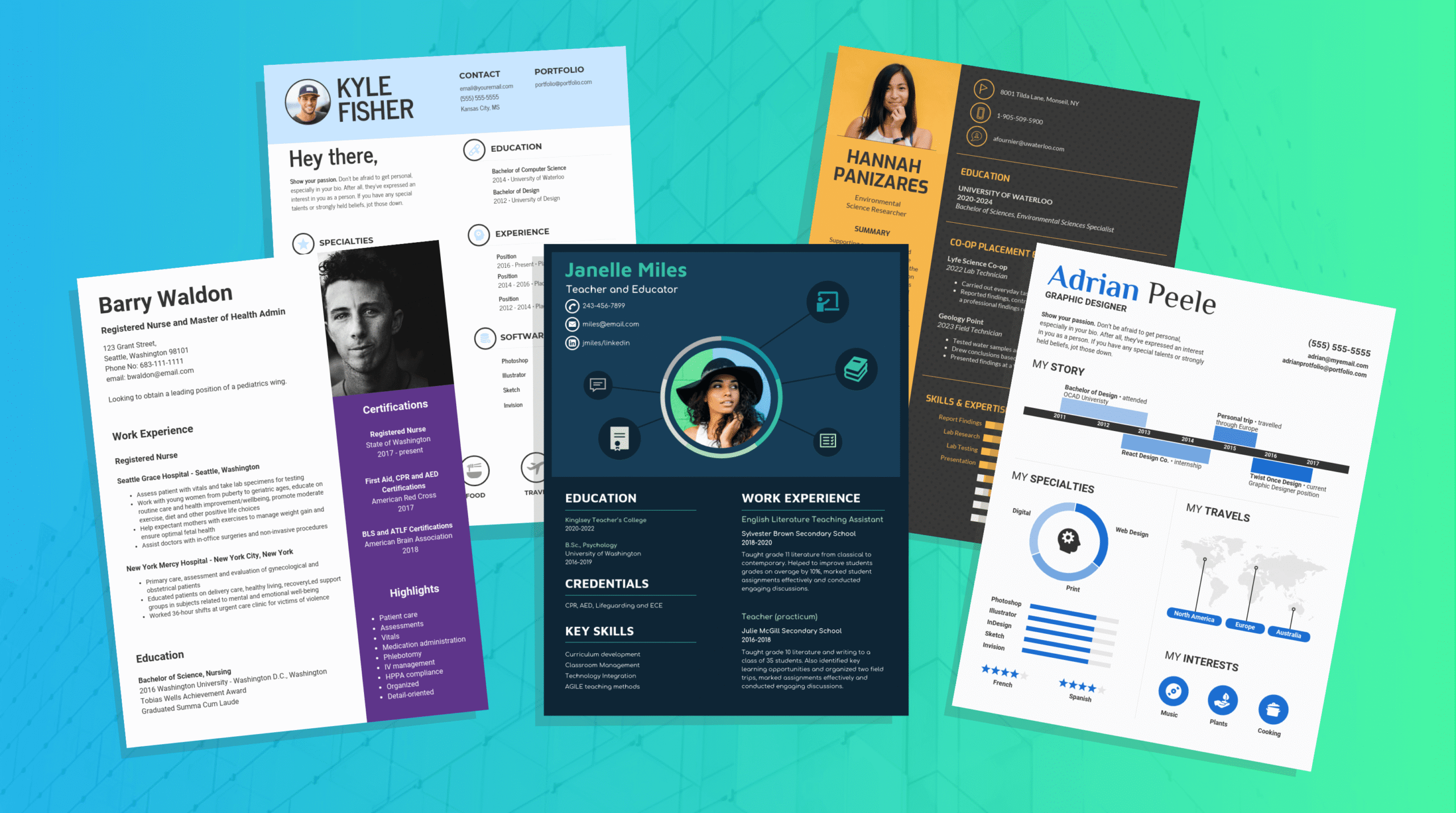
Your resume has about six seconds. That’s it. In that blink-and-you’ll-miss-it moment, a hiring manager decides whether you’re worth their time or destined for the rejection pile. The brutal truth? Most resumes never even make it to human eyes—they’re filtered out by applicant tracking systems before anyone gets a chance to read them.
But here’s the good news: you’re about to discover the exact strategies that get resumes noticed, shortlisted, and turned into interview invitations.
Section 1: Understanding the Modern Resume Landscape
Why Your Current Resume Isn’t Working
Let’s be honest—the resume game has changed dramatically. It’s no longer about listing every job you’ve ever held or cramming in buzzwords like you’re playing bingo. The modern hiring process is a perfect storm of technology, competition, and evolving expectations that catches most job seekers off guard.
The average recruiter spends just 6-7 seconds scanning your resume. During this lightning-fast review, they’re not reading every word; they’re hunting for specific signals that match the job description. If your resume doesn’t speak their language, you’re invisible. This is where most candidates fail—they write for themselves, not for the person making the hiring decision.
Today’s job market is flooded with applicants. For every position posted, recruiters receive hundreds of applications. In the US, the average job opening attracts 118 applicants, while in the UK, that number hovers around 100. This means your resume isn’t just competing against qualified candidates—it’s competing against an avalanche of applications. Standing out requires strategy, not luck.
The ATS Revolution: Why Technical Optimization Matters
Here’s something most job seekers don’t realize: before a human ever sees your resume, it’s scanned by an Applicant Tracking System (ATS). These software programs parse your resume, extract information, and score it based on how well it matches the job requirements. If your resume fails this digital gatekeeper, you never get to make that six-second impression.
An ATS-friendly resume isn’t fancy—it’s functional. It uses standard formatting, includes relevant keywords from the job description, and avoids graphics, tables, and unusual fonts that confuse parsing software. The irony? Many candidates invest hours in design-heavy resumes that look beautiful but fail the ATS test completely.
Understanding this dual audience—both the algorithm and the human—is the first secret to getting 3X more interviews. Your resume needs to be both technically optimized and genuinely compelling.

Section 2: The Anatomy of a Job-Winning Resume
Essential Components That Drive Results
A high-performing resume follows a specific structure that maximizes both ATS compatibility and human readability. Think of it as building a house—you need a solid foundation before you add the decorative touches.
Contact Information: Start with your name, phone number, professional email address, and LinkedIn URL. This seems obvious, but many candidates bury their contact details or use unprofessional email addresses. Make it easy for recruiters to reach you. Skip your full address—just include your city and state. In the UK, include your postcode area but not your full address for privacy reasons.
Professional Headline or Summary: This is your elevator pitch. Instead of a generic “Experienced Marketing Professional,” try something specific like “Digital Marketing Manager | Content Strategy | B2B SaaS Growth.” This immediately tells the reader what you do and what value you bring. Keep it to one line, punchy and keyword-rich.
Experience Section: This is where most resumes go wrong. Candidates list job duties instead of achievements. “Responsible for managing social media accounts” is forgettable. “Increased Instagram engagement by 240% and grew followers from 5K to 18K in 6 months” is unforgettable. Every bullet point should answer the question: “So what? Why should the recruiter care?”
Education and Certifications: Include your degree, institution, and graduation year. Add relevant certifications, especially if they’re industry-recognized. If you’re early in your career, education carries more weight. If you’re experienced, it becomes less critical—but don’t skip it.
Skills Section: This is prime real estate for keywords. List skills that appear in the job description. Use industry-standard terminology. If the job posting mentions “SEO optimization,” don’t list “website improvement.” Precision matters because ATS systems are looking for exact matches.
The Resume Format That Works
Format matters more than most candidates realize. A poorly formatted resume confuses both ATS systems and human readers. Here’s what works:
Chronological Format: Best for candidates with consistent work history. Lists jobs from most recent to oldest. This is the safest choice and works well with ATS systems.
Functional Format: Emphasizes skills over job history. Great for career changers but can confuse ATS systems. Use cautiously.
Hybrid Format: Combines chronological and functional elements. Shows both skills and experience. This is increasingly popular and works well when done correctly.
The golden rule: keep it to one page if you have fewer than 5 years of experience, two pages if you have more. Recruiters appreciate brevity. Every word should earn its place.
Section 3: The Secret Sauce—Keyword Optimization and ATS Strategy
How to Decode Job Descriptions for Maximum Impact
This is where many candidates miss a critical opportunity. The job description isn’t just a wish list—it’s a roadmap for your resume. Successful candidates reverse-engineer the job posting to understand exactly what the employer values.
Start by reading the job description three times. First time: get the overall sense. Second time: highlight every skill, qualification, and responsibility mentioned. Third time: identify the keywords and phrases that appear most frequently. These are your target keywords.
For example, if a job posting mentions “project management” five times, “stakeholder communication” three times, and “budget management” twice, you know these are priorities. Now, strategically incorporate these exact phrases into your resume, particularly in your professional summary, experience bullets, and skills section.
This isn’t about keyword stuffing—it’s about speaking the employer’s language. When your resume uses the same terminology as the job posting, the ATS recognizes alignment, and human readers feel an immediate sense of fit.
Building Your Keyword Arsenal
Create a master list of industry keywords relevant to your field. These might include:
- For Marketing: content marketing, SEO, SEM, marketing automation, analytics, conversion optimization, brand management, campaign management
- For Finance: financial analysis, budgeting, forecasting, risk management, compliance, audit, financial reporting
- For Technology: full-stack development, cloud architecture, agile methodology, API integration, database management, cybersecurity
Research industry standards by reviewing job postings in your field. Spend an hour reading 10-15 job descriptions and noting recurring keywords. These become your resume vocabulary.
The strategic placement of keywords matters too. ATS systems weight keywords differently depending on where they appear:
- Highest weight: Job title, professional summary, section headings
- High weight: Experience bullets, skills section
- Medium weight: Education section, certifications
Section 4: Crafting Powerful Achievement Bullets That Get Noticed
The Formula That Works: Action Verb + Specific Result + Quantifiable Impact
This is where your resume transforms from forgettable to unforgettable. Most candidates write resume bullets that describe what they did. Top candidates write bullets that prove what they accomplished.
The difference is massive. Consider these two versions:
Weak: “Managed social media accounts and created content”
Powerful: “Increased social media engagement by 156% through strategic content planning and community management, growing followers from 12K to 31K in 8 months”
The second version tells a story. It shows impact. It’s specific. It’s memorable.
Here’s the formula:
- Start with a strong action verb: Increased, optimized, launched, transformed, accelerated, streamlined, generated, secured
- Describe the specific action: What exactly did you do?
- Include quantifiable results: Numbers, percentages, dollar amounts, time saved
- Add context when relevant: Why was this important?
Let’s build some examples:
- “Optimized email marketing campaigns, achieving a 34% open rate (industry average: 21%) and generating $127K in revenue from 45K subscribers”
- “Led cross-functional team of 8 to deliver product launch 3 weeks ahead of schedule, resulting in $2.3M in Q1 revenue”
- “Reduced customer onboarding time by 45% through process redesign, improving customer satisfaction scores from 7.2 to 8.9 out of 10”
Notice how each bullet includes specific numbers, clear action, and business impact. This is what catches recruiter attention.
Tailoring Bullets to Match Job Requirements
Generic bullets don’t work anymore. For each position you apply to, customize your experience bullets to emphasize relevant achievements. This doesn’t mean lying—it means highlighting the accomplishments that matter most to this specific employer.
If you’re applying for a role that emphasizes team leadership, lead with your management achievements. If the role focuses on technical skills, highlight your technical accomplishments. This targeted approach dramatically increases your chances of getting past both the ATS and the recruiter’s initial scan.
Section 5: Resume Formatting and Design That Actually Works
The Visual Strategy That Passes ATS and Impresses Humans
Here’s the tension: your resume needs to look professional and be easy to scan, but it also needs to pass through ATS systems that struggle with complex formatting. The solution is strategic simplicity.
Font Choices: Use standard fonts like Arial, Calibri, or Times New Roman. Avoid decorative fonts, script fonts, or anything unusual. Font size should be 10-12 points for body text, 14-16 for headings. Consistency matters—use the same font throughout.
Spacing and Margins: Use 0.5-1 inch margins on all sides. Leave white space between sections. This makes your resume easier to scan and helps ATS systems parse the content correctly. Cramped resumes feel overwhelming and often fail ATS parsing.
Sections and Headings: Use clear section headings like “Professional Experience,” “Education,” “Skills,” “Certifications.” Make headings slightly larger or bold to create visual hierarchy. This helps both ATS systems and human readers navigate your resume quickly.
Bullet Points: Use standard bullet points (•) rather than dashes or custom symbols. Each bullet should be concise—one to two lines maximum. Avoid paragraphs; keep information scannable.
Color Consideration: In the US, a simple black-and-white resume is standard and safest for ATS compatibility. In the UK, subtle color accents (perhaps a colored header) are increasingly acceptable, but keep it minimal. Never use more than one accent color.
Common Formatting Mistakes That Kill Your Chances
| Mistake | Why It Fails | Solution |
|---|---|---|
| Tables or text boxes | ATS systems can’t parse them correctly | Use simple bullet points instead |
| Graphics or logos | Confuses ATS parsing; reduces file compatibility | Use text-based formatting only |
| Multiple columns | ATS reads top-to-bottom; columns get scrambled | Stick to single-column layout |
| Unusual fonts | ATS may not recognize them; looks unprofessional | Use standard fonts only |
| Excessive formatting | Distracts from content; causes ATS errors | Keep formatting minimal and clean |
| Inconsistent spacing | Makes resume hard to scan; confuses ATS | Maintain consistent spacing throughout |
Section 6: Keywords That Triple Your Interview Callbacks
Strategic Keyword Placement for Maximum ATS Impact
Keywords are the currency of modern resume optimization. They’re how ATS systems determine if your resume matches the job requirements. Strategic keyword placement can literally triple your interview callbacks.
Here’s where to prioritize keyword placement:
Professional Summary (Highest Priority): Your summary should read like a keyword-rich elevator pitch. Instead of “Experienced marketer with 8 years in digital,” try “Digital Marketing Manager with 8 years driving B2B SaaS growth through content strategy, SEO optimization, and marketing automation platforms.”
Job Titles and Descriptions (High Priority): Use industry-standard job titles. If you were a “Content Creator,” consider whether “Content Strategist” or “Digital Content Manager” better matches the industry terminology for your role.
Achievement Bullets (High Priority): Weave keywords naturally into your accomplishment statements. “Implemented HubSpot marketing automation platform, increasing lead generation by 89%” includes the specific tool name, which matters to ATS systems.
Skills Section (High Priority): This is your keyword goldmine. List 15-20 relevant skills using industry terminology. Include both hard skills (specific technical abilities) and soft skills (communication, leadership, problem-solving).
Education and Certifications (Medium Priority): Include relevant certifications and training. “Google Analytics Certified” or “HubSpot Inbound Marketing Certified” adds credibility and keyword relevance.
Creating Your Keyword Strategy
Spend 30 minutes building your keyword arsenal:
- Collect 10-15 job postings in your target role and industry
- Highlight recurring keywords across all postings
- Identify 3-5 primary keywords that appear most frequently
- Create 10-15 secondary keywords that appear in multiple postings
- Incorporate these strategically throughout your resume
For example, if you’re targeting a “Product Manager” role, your primary keywords might be:
- Product management
- Product strategy
- User research
- Roadmap development
- Cross-functional collaboration
Your secondary keywords might include:
- Agile methodology
- Data-driven decision making
- Stakeholder management
- Feature prioritization
- Product metrics
Section 7: US vs. UK Resume Differences—What You Need to Know
Critical Differences Between Markets
While resume fundamentals are universal, US and UK hiring practices have important differences that affect your resume strategy.
Length and Format:
- US: One page is standard for candidates with fewer than 5 years of experience; two pages for more experienced professionals
- UK: Two pages is standard regardless of experience level; three pages is acceptable for senior roles
Terminology:
- US: “Resume” (one-page document); “CV” (comprehensive career document, rarely used in US job applications)
- UK: “CV” (standard document, typically 2-3 pages); “Resume” is rarely used
Personal Information:
- US: Include only name, contact information, and LinkedIn URL. Avoid age, marital status, nationality, or photo
- UK: Photo is increasingly common and often expected; some candidates include date of birth; nationality can be included
Education Format:
- US: List degree, institution, and graduation year. GPA optional (include only if 3.5 or higher)
- UK: List degree classification (First, Upper Second, Lower Second, Third), institution, and graduation year. GPA is not used
Salary Information:
- US: Never include salary history or expectations on your resume
- UK: Some applications request salary expectations; include only if specifically requested
References:
- US: “References available upon request” is optional; many recruiters expect you to provide them when asked
- UK: “References available upon request” is standard practice
Cover Letters:
- US: Cover letter is often optional but recommended
- UK: Cover letter is typically required and often more important than in the US
Section 8: The Power of Quantification—Making Numbers Work for You
Why Numbers Matter More Than You Think
Recruiters are visual creatures. Their eyes are drawn to numbers. A resume filled with quantifiable results is infinitely more compelling than one filled with vague descriptions.
Here’s the psychology: numbers create credibility. They suggest measurement, intentionality, and results. When you say “improved sales,” it’s forgettable. When you say “increased sales by 47% ($1.2M in additional revenue),” it’s memorable.
How to Quantify Everything
Not every achievement comes with obvious numbers. Here’s how to quantify various types of accomplishments:
Revenue and Financial Impact:
- “Generated $847K in new business revenue through strategic partnership development”
- “Reduced operational costs by 23% ($340K annually) through process optimization”
- “Improved profit margins from 18% to 31% through vendor negotiation and supply chain optimization”
Efficiency and Speed:
- “Reduced project delivery time by 35% through agile methodology implementation”
- “Decreased customer response time from 48 hours to 4 hours through support team restructuring”
- “Accelerated product development cycle by 40% through cross-functional collaboration”
Growth and Scale:
- “Grew customer base from 2,500 to 8,700 (248% increase) in 18 months”
- “Expanded market reach to 12 new geographic regions, increasing addressable market by $45M”
- “Scaled team from 3 to 15 members while maintaining 95% employee retention”
Quality and Satisfaction:
- “Improved customer satisfaction scores from 6.8 to 8.9 out of 10 (31% improvement)”
- “Reduced product defect rate by 56% through quality assurance process redesign”
- “Achieved 94% employee engagement score (industry average: 71%)”
Reach and Engagement:
- “Reached 2.3M people through integrated marketing campaign (3X target reach)”
- “Increased website traffic by 156% through SEO optimization and content strategy”
- “Built engaged community of 47K followers across social media platforms”
The key is being specific and honest. Don’t inflate numbers, but do capture the full scope of your impact.
Section 9: Common Resume Mistakes That Cost You Interviews
Errors That Instantly Disqualify You
Even excellent candidates sabotage themselves with preventable resume mistakes. Here are the most common culprits:
Typos and Grammar Errors: A single typo can cost you the job. Recruiters interpret errors as carelessness. Proofread multiple times. Use tools like Grammarly. Have someone else review it.
Inconsistent Formatting: Inconsistent bullet points, spacing, or font sizes make your resume look unprofessional and confuse ATS systems. Maintain consistency throughout.
Vague Language: Words like “responsible for,” “helped with,” and “involved in” are weak. Use strong action verbs and specific descriptions instead.
Irrelevant Information: Don’t include high school achievements if you’re a college graduate. Don’t list hobbies unless they’re directly relevant. Every line should earn its place.
Unexplained Employment Gaps: Gaps happen, but don’t ignore them. Address significant gaps briefly. “2019-2020: Career transition and professional development” is better than silence.
Outdated Information: Remove jobs from 15+ years ago unless they’re directly relevant. Update dates to current year. Use current technology terminology.
Lies or Exaggerations: Never lie on your resume. Employers verify information. Exaggerations are often caught during background checks. Stick to the truth.
Poor File Format: Save as PDF (not Word) to preserve formatting across different computers and systems. Use a clear filename like “FirstName_LastName_Resume.pdf” rather than “Resume_Final_FINAL_v3.pdf.”
Section 10: Optimization Checklist—Your Path to 3X More Interviews
The 30-Point Resume Audit
Use this checklist to audit your resume before submitting:
Content Quality (10 points)
- Professional summary is keyword-rich and compelling
- Every achievement includes quantifiable results
- Action verbs are strong and varied
- Experience bullets are tailored to the job description
- No typos, grammar errors, or inconsistencies
ATS Optimization (8 points)
- Formatted in single-column layout
- Uses standard fonts (Arial, Calibri, Times New Roman)
- No tables, graphics, or text boxes
- Keywords from job description are incorporated naturally
- Saved as PDF to preserve formatting
- Filename is clear and professional
- Contact information is easy to find
- No unusual symbols or formatting
Structure and Organization (7 points)
- Sections are clearly labeled and logically ordered
- Margins are consistent (0.5-1 inch)
- Spacing is clean and professional
- Bullet points are concise (1-2 lines max)
- Most recent experience is listed first
- Length is appropriate for experience level
- Headings are slightly larger or bold for visual hierarchy
Relevance and Customization (5 points)
- Resume is tailored to the specific job posting
- Skills section matches job requirements
- Experience highlights relevant accomplishments
- Keywords appear in multiple sections
- No irrelevant information clutters the resume
Section 11: Tools and Resources for Resume Success
Technology That Gives You an Edge
Several tools can significantly improve your resume:
ATS Testing Tools:
- Resume Worded: Tests your resume against job descriptions and provides specific feedback
- Jobscan: Compares your resume to job postings and shows keyword gaps
Writing and Grammar:
- Grammarly: Catches grammar, spelling, and tone issues
- Hemingway Editor: Simplifies complex sentences and improves readability
Resume Builders:
- LinkedIn: Your LinkedIn profile should mirror your resume and serve as a digital version
- Canva: Offers professional resume templates (use with caution for ATS compatibility)
Research:
- LinkedIn Job Search: Research companies and see what skills they’re seeking
- Glassdoor: Read company reviews and salary information
- Indeed: Browse job postings to understand industry keywords
Section 12: Your Action Plan—From Today to Interview Invitations
The 7-Day Resume Transformation
Day 1: Audit and Research
- Review your current resume critically
- Research 10-15 job postings in your target role
- Create your keyword master list
Day 2: Restructure
- Reorganize your resume using the recommended format
- Ensure ATS compatibility (single column, standard font, no graphics)
- Update contact information and professional summary
Day 3: Rewrite Experience
- Convert job duties to achievement-focused bullets
- Add quantifiable results to every bullet point
- Incorporate target keywords naturally
Day 4: Optimize Keywords
- Ensure primary keywords appear in summary, titles, and bullets
- Update skills section with industry-standard terminology
- Check keyword density and placement
Day 5: Polish and Proofread
- Read through multiple times for typos and errors
- Have someone else review for fresh perspective
- Ensure consistent formatting throughout
Day 6: Test and Refine
- Use ATS testing tools to check compatibility
- Compare against job descriptions using Jobscan or Resume Worded
- Make final adjustments based on feedback
Day 7: Customize and Submit
- Create tailored versions for different job types
- Save with clear, professional filenames
- Submit with confidence
Conclusion: Your Resume Is Your First Interview
Your resume isn’t just a document—it’s your first and most critical interview. It’s your chance to make a powerful first impression before you ever speak to a recruiter. In that six-second window, you need to prove that you’re worth their time.
The strategies in this guide aren’t complicated, but they are powerful. They’re based on how modern hiring actually works: ATS systems filtering for keyword matches, recruiters scanning for quantifiable results, and hiring managers looking for proof of impact.
By implementing these resume secrets, you’re not just hoping to get noticed—you’re strategically engineering your resume to get noticed. You’re speaking the language of the job market. You’re proving your value before the conversation even begins.
The result? More interview callbacks. More opportunities. More chances to land the role you want.
Your next job is waiting. Make sure your resume gets you there.
Call-to-Action: Ready to transform your resume? Start with Day 1 of the 7-Day Resume Transformation today. Your next interview invitation is just one optimized resume away.
